

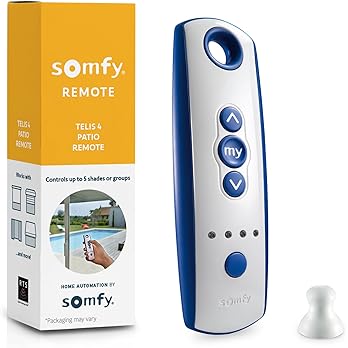
Link to Purchase an Additional Remote from Amazon:
Programming Motorized Remotes
Programming an existing remote to a new remote:
- Set both the old and new remote to the same channel.
- Flip the old remote, and there will be a small button on the back. Press and hold it on the old remote until the motor jogs.
- Now press the same button on the new remote, and the curtain should jog.
- Repeat for each channel.
Programming a New Remote:
- Set the desired channel and get near the plug/outlet for the curtain you wish to program.
- Unplug the curtain’s motor for 2 seconds, plug it back in for 8 seconds, unplug for 2 seconds, and the motor should jog.
- Now press the button on the back of the remote, and the curtain should jog. That channel is now programmed to that curtain.
- Repeat for each channel/curtain.
Motorized Instructions to Check a Motor
- ALWAYS check to see if there is power first.
- Make sure that the screen is not jammed. If the screen is jammed, try to unjam it by hand removing the hood cover first.
- If there is power and no sound or movement coming from the motor end, unplug it for 2 seconds, plug it back in for 8 seconds, unplug it for 2 seconds, then when you plug it back in, it should have rese,t and it will start jogging.
- If it does not do anything, repeat the process above.
- If there is still no response, the motor is dead and needs to be replaced.
- NOTE: (If the motor is making sounds or trying to move, yet it’s still not jogging up or down, the gearbox in the motor is most likely broken)
Motorized Instructions to Adjust Top & Bottom Limits
- Click the button in the direction of the limit you want to change (top or bottom)
- Allow it to go all the way in that direction until it stops on its own.
- Press and hold the up & down buttons simultaneously until the curtain jogs.
- Tap up or down until you get to the desired position.
- Press and hold the center/stop button until it jogs again. The limit is now set.
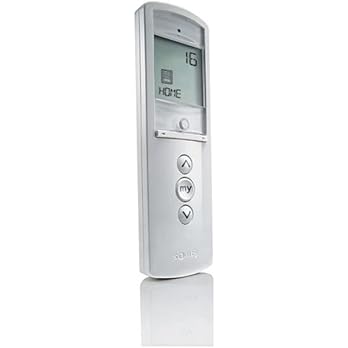
Link to Purchase an Additional Remote from Amazon:
Programming Remotes
How do I pair a remote with my motor?
- Press PROG on the motor until it jogs
- Press UP or DOWN on the remote until it jogs again to confirm pairing
How do I assign a channel on the Solfy Telis 16 RTS remote?
- Press PROG on the remote until the motor jogs
- Press UP or DOWN to assign the channel. the LED will confirm with a blink.
What does it mean when the LED blinks during programming?
- A blinking LED indicates the remote is in programming mode or confirming an action, like assigning a channel.
What does it mean if the motor jogs during programming?
- A jog (brief movement) signals the motor is reponding to programming steps.
How do I delete all settings on the Telis 16 remote?
- Hold PROG for 7 seconds until the LED blinks rapidly, then release to reset all settings.
Adjusting Motor Limits
How do I set the top limit on my motor?
- Move the shade to the desired top position
- Press STOP and UP together until it jogs
How do I adjust the bottom height of my motorized shade?
- Move the shade to the bottom position.
- Press STOP and DOWN together until it jogs.
If you are in need of service, please fill out an online service request form by clicking: www.southernpatioenclosures.com/request-service

